Looking for a Roco Kingdom download? Learn how to check your beta test selection, pre-download the client, and check system requirements.
Are you trying to figure out how to secure a Roco Kingdom download for the highly anticipated open-world creature-collector? Securing your Roco Kingdom download requires navigating the current Quack Quack Closed Beta Test phase managed by Level Infinite. Whether you are an avid fan of monster-taming games or a newcomer eager to explore this vibrant open world, understanding the pre-download and access verification process is essential.
Understanding the Quack Quack Closed Beta Test
The excitement surrounding the global version of this magical universe is palpable. The developers have rolled out the Quack Quack Test, giving selected players a chance to experience the game ahead of its official launch. According to official announcements on the Roco Kingdom Official Website, participation in this phase is restricted to users who completed the registration process prior to the October deadline.
Community reports indicate that getting into this initial testing phase relies heavily on winning a spot through the sign-up survey or community invitation events. Because this is a closed, data-wipe-out test, all player progress will be cleared once the testing period concludes.
| Test Feature | Details |
|---|
| Test Name | Quack Quack Test (Closed Beta) |
| Developer / Publisher | Morefun Studios / Level Infinite |
| Data Retention | Data Wipe-Out Test (Progress Deleted) |
| Supported Languages | English, Japanese |
How to Check Your Beta Test Selection Status
If you participated in the pre-registration phase, verifying your eligibility is straightforward. You must use the exact Level Infinite account credentials that you utilized during the initial sign-up window.
Based on community reports and developer guidelines, there are two primary methods to check if you have been selected for a Roco Kingdom download:
- Official Website Portal: Log into your account on the main portal and click the status check button to instantly view your selection results.
- Email Inbox Verification: Check the inbox associated with your Level Infinite account. Be sure to refresh your spam or junk folders, as automated invitation emails occasionally filter into those directories.
| Check Method | Action Required | What to Look For |
|---|
| Website Portal | Log in with registration credentials | "Congratulations" notification banner |
| Email Inbox | Search for Level Infinite emails | Beta access code or direct download link |
Step-by-Step Pre-Download Instructions
Once you confirm that your account has been granted access, you can initiate your Roco Kingdom download depending on your preferred platform. Because the client size is substantial—estimated at around 30 GB—early preparation is highly recommended.
The deployment method varies depending on whether you are playing on mobile or desktop devices:
- Android Devices: Log into the Google Play Store using the Gmail address linked to your Level Infinite account to access and install the test build.
- PC Users: Download the official PC launcher directly from the instructions provided in your verification portal, log in, and begin downloading the files.
- iOS Users: Apple testers will receive an invitation email containing a redemption code. Follow the prompts to download TestFlight and input your code to secure your Roco Kingdom download.
| Platform | Distribution Channel | Key Requirement |
|---|
| Android | Google Play Store | Gmail account matching Level Infinite registration |
| PC | Official PC Launcher | Dedicated launcher login using test-approved account |
| iOS | TestFlight App | Apple ID invite email and unique redemption code |
System Requirements and Device Compatibility
Because this title features a sprawling open world with over 400 unique Jinies, stunning visual fidelity, and real-time mechanics, your hardware needs to meet baseline specifications to run the test smoothly. Player experience suggests that while the optimization is strong for an early build, having adequate RAM and storage is non-negotiable.
Review the minimum hardware thresholds across different platforms before starting your Roco Kingdom download:
| Platform | Minimum Processor (CPU) | Minimum RAM | Graphics Card / OS |
|---|
| iOS | Apple A11 Bionic | 3 GB | iOS 15 (iPhone 8+ or newer) |
| Android | Snapdragon 660 / Dimensity 720 | 4 GB | Android 9.0 or higher |
| PC (Windows) | Intel Core i5-7500 / Ryzen 5 1400 | 16 GB | GTX 960 (2GB VRAM), DirectX 12 |
What to Expect During the Test Phase
The Quack Quack Test is designed to test server stability, fair PvP mechanics, and open-world exploration features. While in-game purchases are disabled for this phase, players can sample core gameplay loops, explore diverse biomes, and test out various creature-collection strategies.
Remember that keeping your login credentials secure is crucial. Attempting to access the test build with an unauthorized account will block your connection, and sharing iOS TestFlight links with third parties may result in a permanent ban from future testing phases.
Frequently Asked Questions
Can I still get a Roco Kingdom download if I missed the sign-up deadline?
The primary registration window for the Quack Quack Test has closed. However, you can still pre-register on the official website for future testing phases and potential Lucky Drop access opportunities.
Will my progress be saved after the test ends?
No. This is a closed beta test featuring a complete data wipe. All character levels, captured Jinies, and in-game progression will be deleted once the test server shuts down.
What should I do if my Google Play store link doesn't work?
Ensure that you are signed into the Google Play Store using the exact email address registered to your Level Infinite account. Using mismatched accounts will often prevent the test build from appearing.

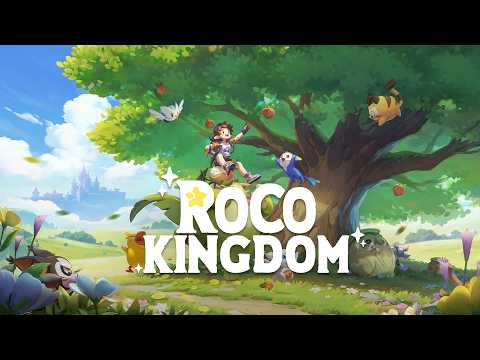 Official videoLooking for a Roco Kingdom download? Learn how to check your beta test selection, pre-download the client, and check system requirements.YouTube